intro-component-with-signup-form-master
Frontend Mentor - Intro component with sign up form solution
This is a solution to the Intro component with sign up form challenge on Frontend Mentor. Frontend Mentor challenges help you improve your coding skills by building realistic projects. )
The challenge
Users should be able to:
- View the optimal layout for the site depending on their device’s screen size
- See hover states for all interactive elements on the page
- Receive an error message when the
formis submitted if:- Any
inputfield is empty. The message for this error should say “[Field Name] cannot be empty” - The email address is not formatted correctly (i.e. a correct email address should have this structure:
name@host.tld). The message for this error should say “Looks like this is not an email”
- Any
Note
I changed the design and colors a little bit. I feel like background images that are so eye catching and repetitive overdate.
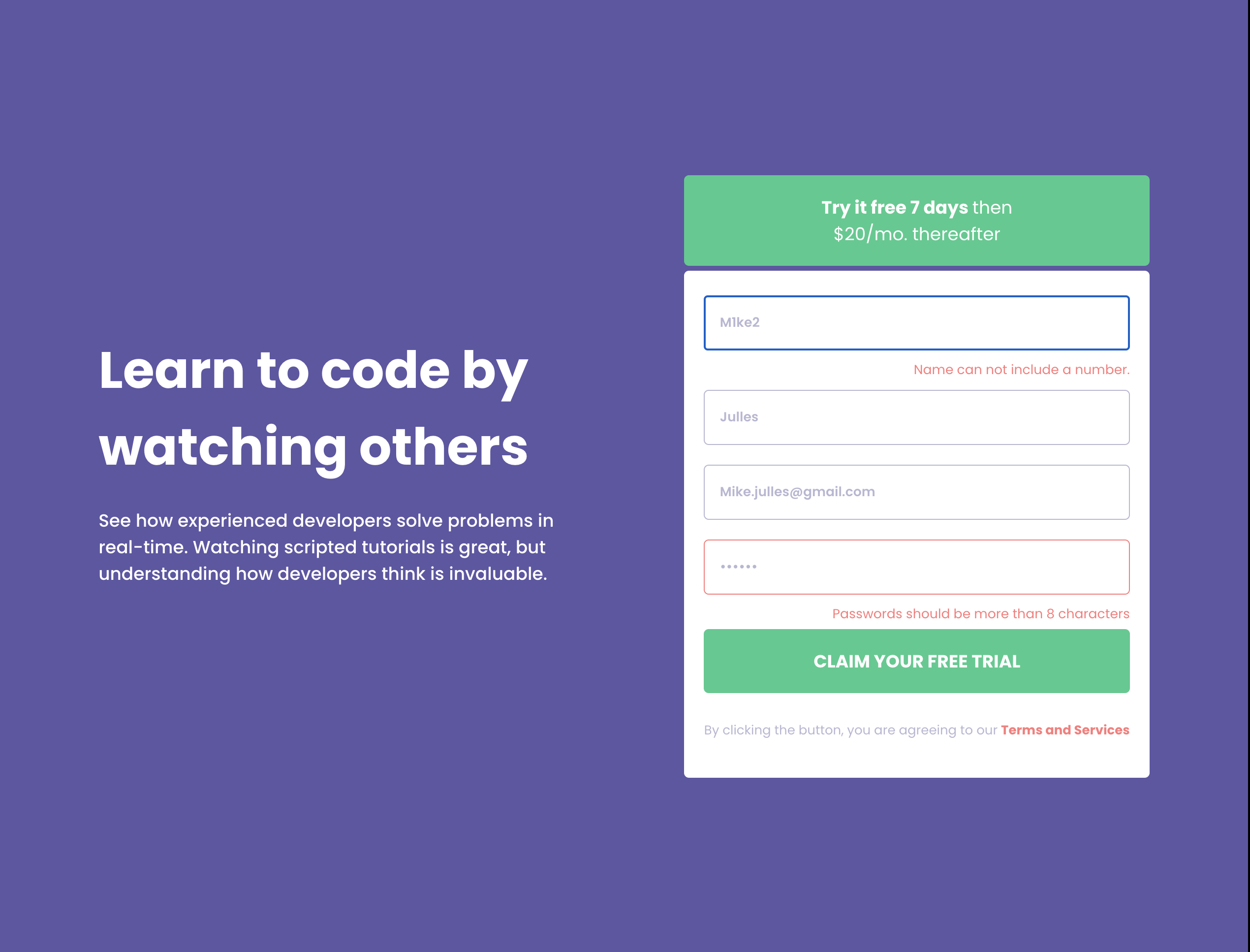
Screenshot




Links
- Solution URL: https://github.com/DianaTs1/intro-component-with-signup-form-master
- Live Site URL: https://dianats1.github.io/intro-component-with-signup-form-master/
Built with
- Semantic HTML5 markup
- CSS custom properties
- Flexbox
- CSS Grid
- Mobile-first workflow
- React - JS library
What I learned
I practices working with hooks such as useEffect, useState and useReducer. Also have practiced with input validation which seems one of the main features of the front-end development. Used the validator package first time as well.
<input
	className={`${!passwordState.isValid &&
	passwordState.passwordIsTouched
		? classes.invalid
		: classes.input}`}
	onChange={passwordChangeHandler}
	onBlur={validatePassword}
	type="password"
	placeholder="Password"
	id="password"
	name="password"
/>
const emailReducer = (state, action) => {
	switch (action.type) {
		case USER_EMAIL:
			return {
				value: action.value,
				isValid: setTimeout(() => checkEmaildValidity(action.value), 5000),
				emailIsTouched: true
			};
		case INPUT_BLUR:
			return {
				value: state.value,
				isValid: checkEmaildValidity(state.value),
				emailIsTouched: true
			};
		default:
			return { value: '', isValid: false };
	}
};
I have been able to change the responsiveness with just this piece of media query thank to Mobile first workflow.
@media screen and (min-width: 1140px) {
	.form,
	.trial-button {
		min-width: 100%;
	}
	.form-wrapper {
		min-width: 35%;
	}
}